
In today’s world, where the pace of work is constantly accelerating and projects are becoming more complex, the right project planning software is an essential tool for success. From small businesses to large corporations, they are looking for effective ways to improve task planning, time tracking, and resource management. Modern tools offer rich features that enable process automation and facilitate team collaboration. However, choosing such software is not easy, as you need to balance functionality, clarity, and affordability. In this article, we will look at the key features of these tools and advise you on how to choose the right project planning software to make your team’s work easier and manage your projects more effectively.
Project management requires not only the organization of individual tasks, but also a comprehensive approach to planning, tracking, and analysis. Therefore, project planning software that offers more than just basic task control is a key element. Modern tools offer various ways to display work, such as Kanban boards, Gantt charts, or timelines, which provide a clear overview of the overall progress of the project. Such visualizations allow for prioritization and effective resource management, which leads to better allocation of people and finances. Another important feature is time tracking directly within the software. This helps managers and individual team members better estimate work commitments and optimize the distribution of tasks according to actual capacity. Another advantage of modern solutions is the ability to automate processes, such as setting notifications for upcoming deadlines, automatically handing over completed tasks, or adapting workflows to specific project needs.
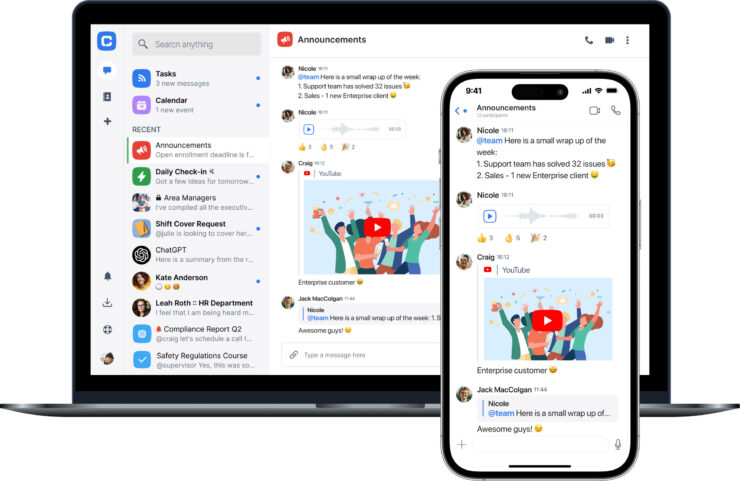
When working in a team, it is important that the software is clear and allows for effective communication between members. Some platforms integrate chat, document sharing and brainstorming tools, which significantly speeds up the exchange of information and reduces the need for external communication tools. This minimizes the risk of errors that often occur when coordination is poor. In addition, such a platform can also serve as a center for archiving all important project documents, which simplifies access to information and improves transparency.
We must not forget the possibility of tailoring the software to the specific needs of the company or project. Some applications offer more than 200 project templates that can be easily modified, which significantly shortens the deployment time and allows for quick starts of new orders. For companies planning long-term projects, a comprehensive risk analysis is of great benefit, helping to predict potential problems and take measures before complications arise.
An example of a powerful yet user-friendly tool is monday.com, which combines intuitive controls with a rich set of features, including time tracking, templates, automation, and advanced file sharing. However, the software is dynamic and regularly updated, so users must be prepared for frequent changes that will ensure the technology remains modern and powerful.
Discover the best project planning software that will help you effectively manage tasks, track progress, and achieve your goals faster and easier.
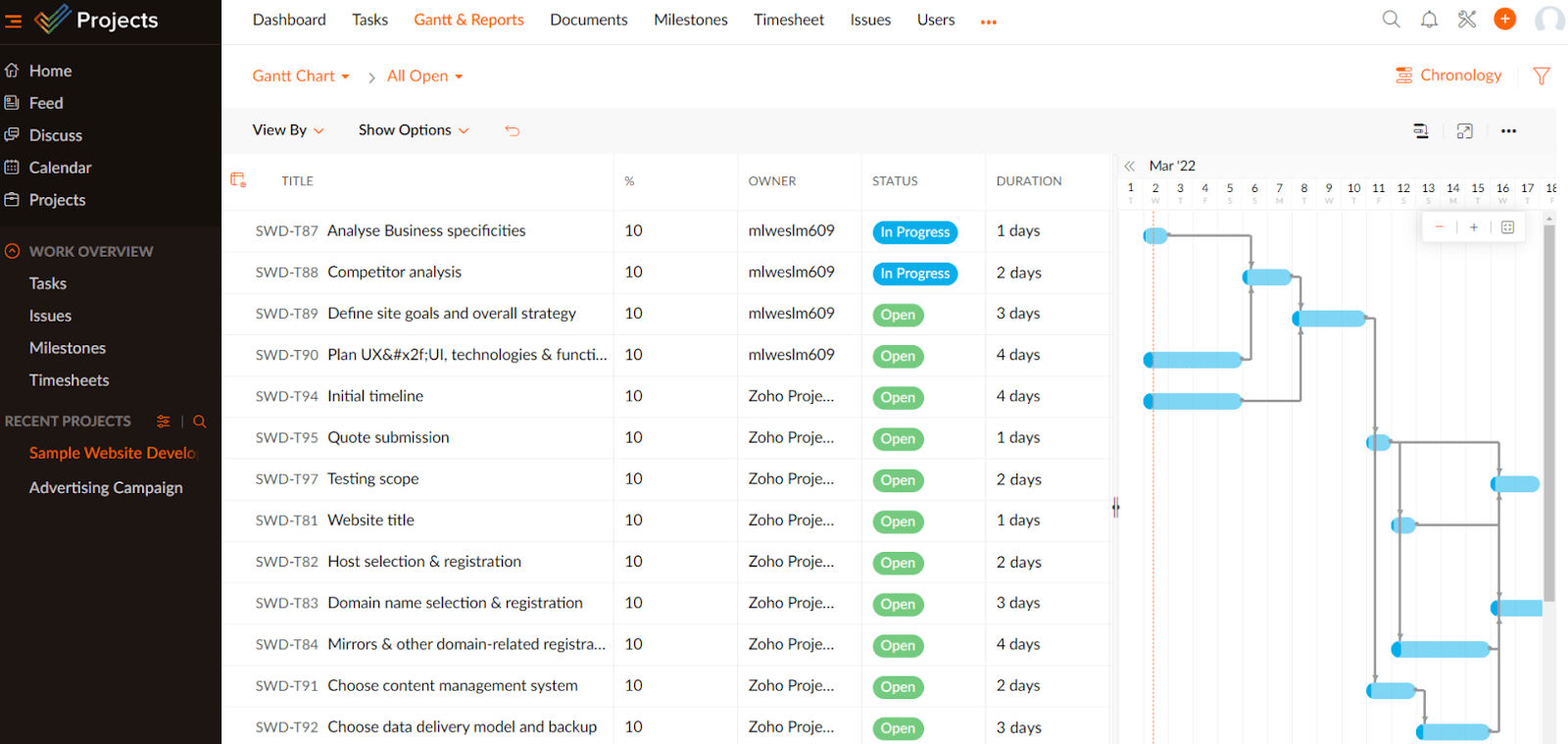
These features allow you to set realistic time frames for individual tasks and ensure that the resource is correctly allocated according to the project priorities. They also help in identifying obstacles in the schedule, when, for example, multiple tasks may conflict on the same resource or there may be an expected slippage due to limited manpower. Resource management today often also includes planning of material and financial resources, which supports a comprehensive approach to project management and improves management decision-making.
Time tracking also provides valuable data for retrospective analysis and estimates of future projects. This allows managers to more accurately evaluate where and why time losses occurred and prepare a better estimate of costs and resources needed for new contracts. This helps to set the right priorities when planning tasks and reduce the risk of overloading the team. For example, platforms like ClickUp offer not only extensive time tracking capabilities, but also sophisticated customization options for workspaces where teams can organize tasks and priorities visually and functionally. This is very useful for complex projects that require the coordination of multiple people in different time zones. Experience confirms that practical resource management and time tracking can become a tedious and confusing task without quality software.
For companies focused on architecture or construction, it can also be beneficial to connect to software solutions that support specialized processes, which you can find, for example, on servers with architectural projects of students or software for planning houses. Here it is important that the software is compatible with other tools used in the field and allows for easy import and export of project data.
Process automation and effective team collaboration as a way to increase productivity
Process automation is today one of the key areas that project planning software must support. Manual task management, forwarding information and repetitive administrative activities represent a significant burden for teams, which hinders overall work performance. However, thanks to automation, teams can significantly speed up communication, reduce the number of errors and increase the reliability of meeting deadlines.
The monday.com platform offers rich automation tools that are also user-friendly. Users can set up their own rules and templates for different scenarios without any technical knowledge, simplifying approval processes, task completion checks, or sharing reports in real time.
Effective team collaboration is an integral part of this ecosystem. Software such as Smartsheet allows for broad integration with other company systems, clear tracking of progress and document sharing. Workshops or brainstorming sessions can be organized within the platform using integrated chat tools and online bulletin boards, which speeds up the decision-making process and supports innovation.
Company experience shows that the introduction of such tools into daily practice significantly contributes to increasing transparency and improving team morale, as each member sees their contribution and the impact of their work on the overall result in real time. This subsequently supports greater initiative and responsibility.
How to choose project planning software: key criteria and recommendations for different types of users
Choosing the right project planning software is often a challenging task, as the market offers a multitude of solutions with different focuses and functions. In addition to the basic question “What do we expect from the software?”, it is also necessary to take into account the size of the team, the type of projects and the level of experience of users with such tools.
Localization and language support are also important criteria. Some tools, such as Zoho Projects or Teamwork, offer a user interface in Czech, which can significantly speed up the adoption of the software in the team. Price is often another factor. Some platforms offer free plans with limited features, which allows you to try them out before investing in paid versions with extended options.
When making a decision, it is also worth considering the possibility of integration with other services, such as cloud storage or customer relationship management (CRM) tools. HubSpot, for example, plays such a role, which is not purely project planning software, but can complement processes by connecting task planning with business activities.
Access to test versions is another way to verify whether the software really suits our requirements and work style. For example, monday.com offers 14-day trial periods with full access to features, allowing for a detailed exploration of its capabilities.
If your projects also include areas such as architecture or construction, we recommend visiting online resources such as
home planning software
or
architectural projects for students for inspiration and compatible solutions suitable for specific disciplines. For more detailed space planning, you can also check out a step-by-step house plan , which can help better integrate project management into construction activities.Project Management Software Trends for 2025 and How to Stay Up-to-Date With the advent of new technologies, project planning software is constantly evolving. Trends for 2025 focus on even greater integration of artificial intelligence and machine learning, which help optimize task planning and support risk analysis. For example, AI assistants can automatically set priorities, suggest optimal resource allocation, and predict potential complications based on historical data.Another significant trend is the expansion of mobile and cloud solutions that allow work from anywhere and in real time. This greatly increases the flexibility of teams and allows more effective collaboration in dispersed teams. At the same time, personalization of the user interface is developing, so that each team member sees relevant data and work tasks according to their role and needs.
Therefore, it is essential for modern managers to stay informed and follow news in the field. A practical tip is to regularly test new products and take advantage of the latest software versions, or participate in training and webinars. The world of project management is dynamic and changing rapidly today, and quality software remains a reliable pillar of an effective work strategy.

